Make the web
easier to read.
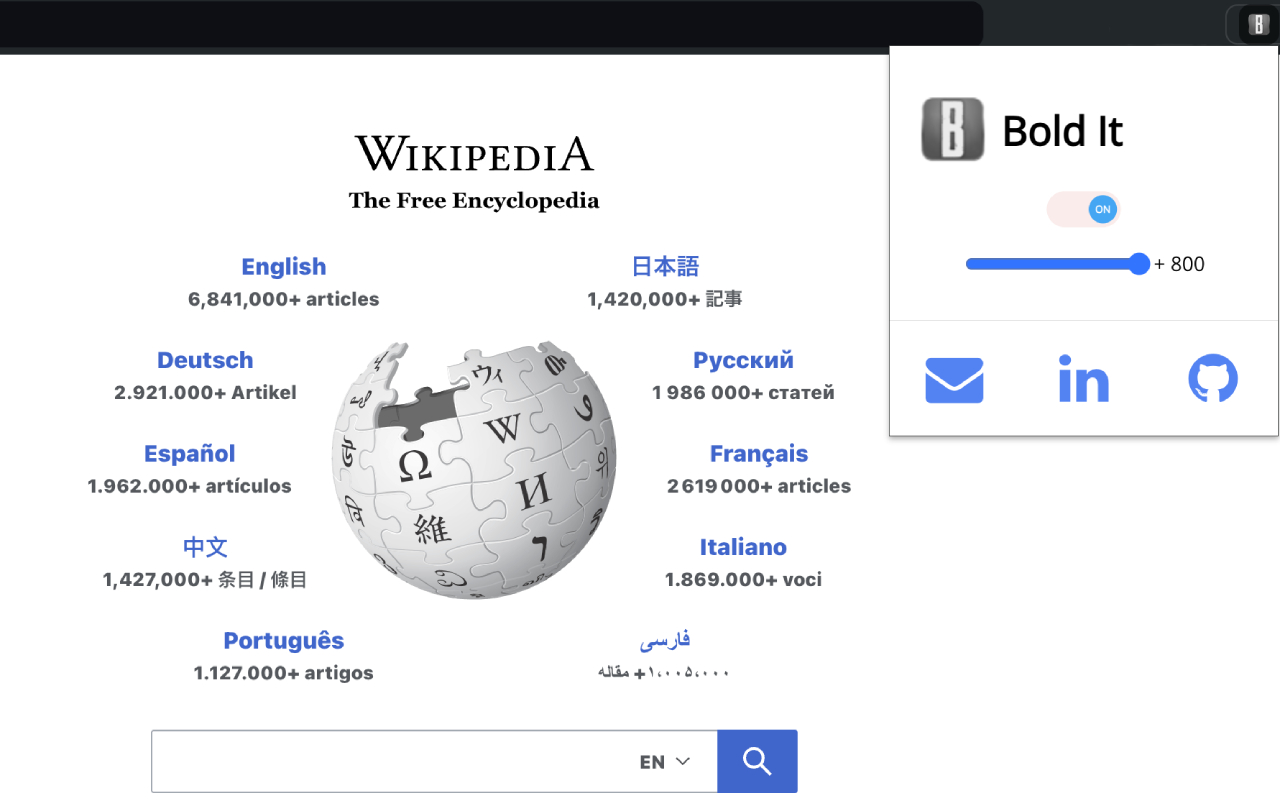
Bold It turns up the font weight on any website. One slider, every page, instantly. Thin, faint text becomes solid and legible without changing anything else.
No account. No server. Settings stay in your browser.
 Bold It
Why thin fonts hurt
Modern sites love light typefaces. On a bright screen, in a hurry, at the end of a long day, that elegance turns into squinting. Bold It adds the weight you want, on every page, without waiting for a redesign.
How it works
Three steps. Then forget it exists.
Install
One click from the Chrome Web Store. Pin it to the toolbar so the slider is always one click away.
Slide
Pick how much heavier you want text, from +100 to +800. Every open tab updates as you drag.
Read
Your setting applies to every site you open from now on. Need a site heavier or lighter? Give it its own value.
Features
Heavier text, nothing else touched.
One global slider
Set it once and it applies everywhere. Switch it off and on with a single toggle; your value is remembered.
Per-site override
One site too faint, another already heavy? Give any domain its own level. It wins over the global setting on that site only.
Keeps the hierarchy
Each element gets the same delta added to its own weight, so headings stay heavier than body text instead of everything flattening to bold.
Private by design
No account, no analytics, no network calls. Your preferences live in Chrome's extension storage and nowhere else.
Light footprint
Runs once when a page loads and again when you return to the tab. No constant watching, no scroll lag.
Open source
The whole extension is on GitHub. Read the code, open an issue, or send a fix.
FAQ
Questions people ask
Does it work on every website?
On every https page. Chrome's own pages (settings, the Web Store, new tab) don't allow extensions to change them, so those stay as they are.
Will it break page layouts?
Only font weight changes. Heavier letters are a little wider, so very tight layouts can shift by a few pixels. If a site looks off, give it a lower per-site value or turn it off there.
Can I make text lighter instead?
Not today. Bold It adds weight, from +100 up to +800, capped at the maximum weight fonts support (900). If you need the opposite, open an issue on GitHub.
Does it slow pages down?
It runs one pass when a page finishes loading and again when you focus the tab. It doesn't watch the page continuously, so scrolling and typing are untouched.
What permissions does it need?
Tabs and active tab, to apply your setting to open pages, and storage, to remember it. Nothing is sent anywhere.
Stop squinting. Start reading.
Free, open source, and ready in one click.